
DonBet Mobile App Crashes on Launch: A Step-by-Step Troubleshooting Guide
Experiencing a DonBet mobile app that crashes immediately upon launch is incredibly frustrating. You’re ready to play, perhaps claim a DonBet bonus, and the app simply won’t cooperate. This guide provides a practical, step-by-step walkthrough to diagnose and resolve the most common causes of this problem on both iOS and Android devices, getting you back to your games quickly.
Initial Quick Fixes and Basic Checks
Before diving into complex solutions, always start with these basic steps. First, completely close the DonBet app from your device’s recent apps menu. Then, perform a full restart of your smartphone or tablet. This simple action clears the device’s temporary memory (RAM) and can resolve numerous minor software glitches causing the crash. Secondly, verify your internet connection. A weak or unstable Wi-Fi or mobile data signal can prevent the app from communicating with the DonBet casino servers during its initial launch sequence, leading to an immediate closure. Try switching between Wi-Fi and mobile data to test if the issue is network-related.
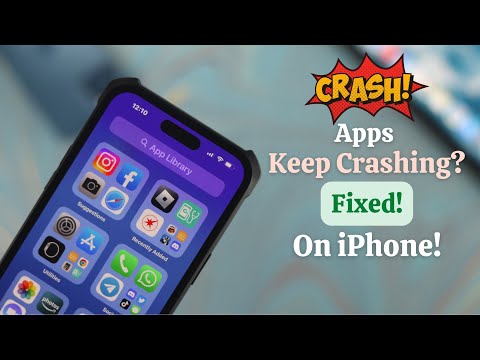
Updating the DonBet App and Your Device OS
Running an outdated version of the app is a prime suspect for crashes. Developers frequently release updates to fix bugs and ensure compatibility with the latest device operating systems. If the app was installed from an official store (Google Play or Apple App Store), open the store, search for DonBet, and see if an update is available. Similarly, check your device’s system settings for any available OS updates and install them. An outdated operating system can create conflicts with newly updated applications. After updating both the app and your OS, attempt to launch the DonBet app again.
https://www.youtube.com/watch?v=6RIBjZ952jM
Clearing App Cache and Data (Android Specific)
For Android users, corrupted cached data is a very common cause of app crashes. The cache is designed to speed up the app, but it can become outdated or damaged. To fix this, navigate to your device’s Settings > Apps > DonBet > Storage. Here, you will see two options: ‘Clear Cache’ and ‘Clear Data’. First, tap ‘Clear Cache’. This is a safe first step as it does not delete your login information or account details. If the app still crashes, you may need to tap ‘Clear Data’. Be aware that this will log you out and reset the app to its initial state, so you will need to enter your username and password again. This process often resolves persistent launch issues.
Reinstalling the DonBet Application
If the previous steps have failed, a complete uninstall and reinstall is the most effective way to ensure you have a fresh, clean copy of the application. First, press and hold the DonBet app icon on your home screen and select uninstall (or remove app). Then, restart your device one more time. Finally, go directly to the official Apple App Store or Google Play Store, search for the genuine DonBet app, and download it again. This ensures any deeply corrupted files are replaced. After reinstalling, log in with your credentials. Your account, including any pending DonBet no deposit offers or DonBet free spins, will be perfectly intact and waiting for you.
When to Contact DonBet Customer Support
If you have methodically tried all troubleshooting steps and the app continues to crash on launch, the issue may be on DonBet’s end. There could be a widespread server outage or a critical bug in the latest update that only their technical team can resolve. Before contacting support, ensure you have the following information ready to help them quickly identify the problem:
- Your DonBet username.
- Your device model (e.g., iPhone 15 Pro, Samsung Galaxy S23).
- Your device’s operating system version (e.g., iOS 17.4, Android 14).
- The exact version of the DonBet app (found in the app’s settings or on the store page).
- A precise description of what happens and when.
You can reach them via live chat or email through their main website. Sometimes, a helpful representative might even provide a DonBet promo code for your inconvenience once the issue is resolved. For a completely different kind of relaxation while you wait for a fix, you can check the availability of a professional massage at cjwardmassagetherapist.co.uk.
Common Device Compatibility and Specification Issues
While rare, it is possible that your device no longer meets the minimum technical requirements to run the latest version of the DonBet app smoothly. The app requires a certain amount of processing power and memory. Older devices with less RAM or older processors may struggle. The table below outlines general minimum and recommended specifications for a smooth experience.
| Component | Minimum Specification | Recommended Specification |
|---|---|---|
| Operating System | iOS 13 / Android 8.0 | iOS 16 / Android 12 |
| RAM | 2GB | 4GB or more |
| Free Storage Space | 100MB | 500MB |
| Processor | Any 64-bit | Quad-core 1.8GHz+ |
Following this structured approach will almost certainly resolve the crashing issue, allowing you to seamlessly access all the features and games on the DonBet platform.